 Moin Khan
Why AutoCAD to BIM Conversion is Essential for Modern Construction
BIM Services
17th December, 2025
Moin Khan

Table of Contents
Send Us Your Requirement
In the world of design, architecture, and construction, adopting the latest technology and methods enables precise outcomes. It is evident that architecture and construction companies should ensure efficiency, safety, and accuracy in the infrastructure project. Traditional methods of architecture entailed intricate works of art, time-consuming projects that could take years, and higher-cost projects. If we look around at historical architecture today, the carvings, intricate art, detailed designs, and other aspects bring life to the infrastructure. Not only this, but today, historical architecture also inspires modern architecture projects, enabling AEC professionals to create unique, seamless designs. Although the architecture and construction industry is not only about design, it involves a complex process of planning, designing, and execution.
This was time-consuming due to a manual workflow that was also prone to human error, costly rework, and other factors that risked the project. In fact, the traditional approach in the architecture sector was significantly transformed by CAD (computer-aided design). This was a key transformation in the AEC landscape, leading professionals to shift from paper-based designs to digital screens. CAD quickly became a prominent tool for architects, engineers, and other professionals, enabling a versatile approach, streamlined processes, and precise outcomes.
In the vast realm of AEC, technology enables professionals to achieve the accuracy and efficiency that have led to the elimination of traditional, manual workflows. CAD is a seamless approach for architects and engineers in this digital age, allowing seamless data management, communication, collaboration, and more. Therefore, as architects and engineers slowly adopted CAD technology, the continuous development led to a more advanced approach. The constant development and adoption of innovation in the industry have revolutionized the entire sector. Building information modeling has revolutionized the entire sector.
CAD was the paradigm shift from paper to screen; however, BIM was a next-level upgrade for architects, engineers, and other professionals. BIM modeling services enable AEC professionals to improve overall project outcomes through enhanced visualization, seamless communication, and coordination, among other benefits. CAD and BIM have become powerful tools in the complex nature of the industry, helping maintain efficiency, precision, and safety, minimize errors, and stay within project cost.
However, the building information modeling approach rapidly grew in the vast landscape, overshadowing CAD technology. Computer-aided design brought the transformation; however, it had its own limitations. Here, BIM services have seamlessly transformed the AEC landscape, delivering a plethora of benefits. Let’s understand the transition of AutoCAD to BIM services in detail.
Understanding CAD and BIM Technology
Today, in the digital realm of architecture and construction, key factors of project success are precision, efficiency, and safety. Every infrastructure building demands seamless collaboration between various construction frameworks. Eliminating the traditional method in favor of CAD services has given the architecture and construction industry a new face. 2D CAD enables professionals to create accurate designs with structural representation, which is more beneficial than traditional hand-drawn sketches.
As the industry progressed, CAD faced limitations for complex, large construction projects. With the emergence of computer screens and digital workflows, architects, engineers, and other professionals streamlined time-consuming processes. Over the years, building information modeling took over the sector, and today it needs no introduction.
Upscale Construction Project with CAD to BIM Conversion
Get a quote
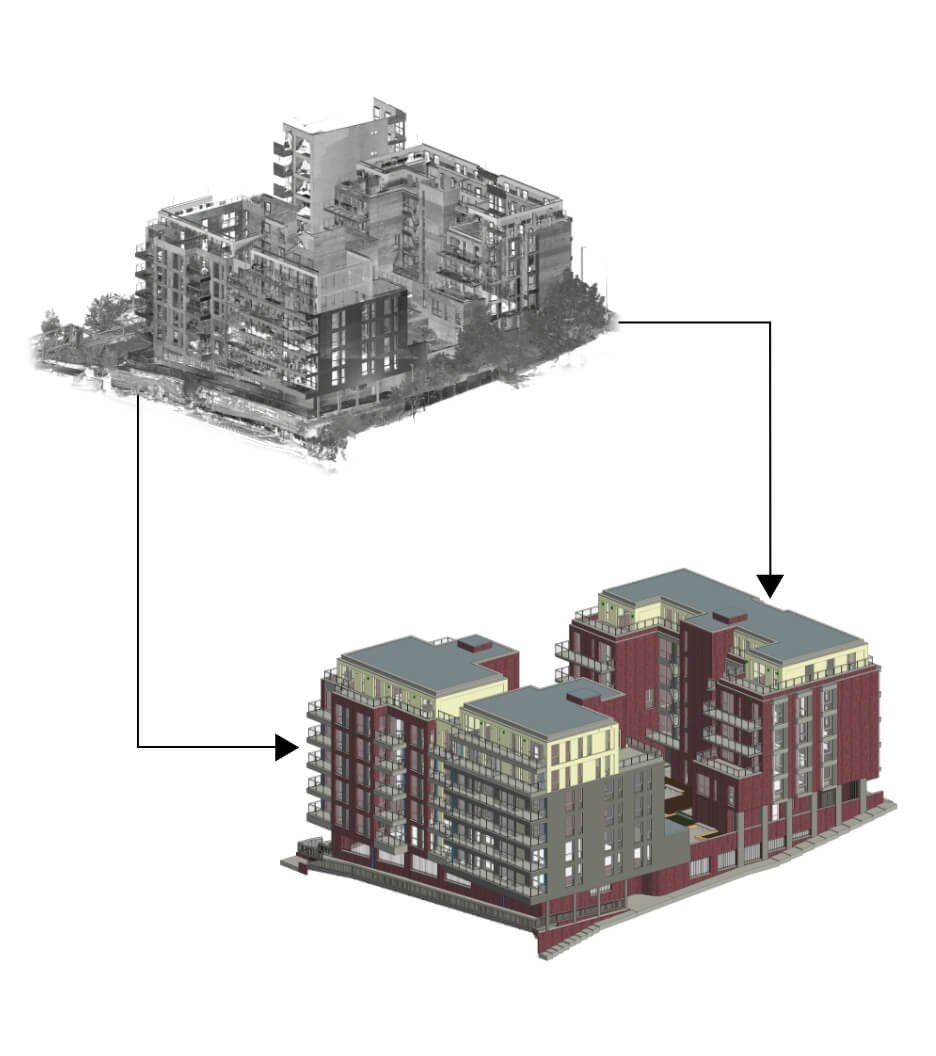
BIM modeling services offer multiple benefits, from streamlining complex, lengthy workflows to fostering collaboration among team members. However, this did not eliminate CAD, as it remains an evident approach for architects and designers. With the revolutionized approach to 2D CAD in software such as AutoCAD, the transition to BIM technology was complex due to changes in processes, methodologies, and technologies.
Therefore, AutoCAD-to-BIM services quickly became a primary service for professionals adopting this paradigm shift. As the industry evolved with trends and technology, 3D BIM modeling became a revolutionary tool that enabled it to represent a project’s physical and functional characteristics. As a matter of fact, BIM introduced a comprehensive approach that extends graphical representation to an information outlook that includes time, material, cost, geometry, and more.
The core ability of Autodesk Revit BIM workflows is a centralized platform that allows every project member to access information. This fosters collaboration, communication, data management, visualization, and more. Moreover, with a plethora of benefits, this digital transformation in the construction landscape improved the approach, delivering better outcomes with precision and efficiency. There’s a key difference between BIM and CAD, but both play critical roles in the construction process. Let’s understand this transition that has become prominent for the AEC sector growth.
AutoCAD to BIM Transition in the AEC Realm
For decades, AutoCAD served as the backbone of the architecture, engineering, and construction industry, replacing the drawing board with digital precision. However, as construction projects become increasingly complex, demanding greater efficiency, collaboration, and data management, the traditional 2D/3D CAD workflow has begun to show its limits, especially in large, complex projects. Therefore, AutoCAD-to-BIM services became the industry standard.
As a matter of fact, this isn’t just a transition from one software to another, but a complete overhaul of the process, technology, approach, and even investment. AEC firms in today’s era seek a cost-effective, novel way to deliver high-quality, sustainable projects. This fundamental transition demands expertise, skills, knowledge, the right use of technology, and an efficient way to accurately shift from AutoCAD to Revit Modeling.
Not only due to the increasingly complex nature of architecture projects or advancement in technology, but there are also a variety of reasons for BIM implementation in construction. Nonetheless, this migration is more than just a technology shift that meets modern architectural demands. The following are key reasons for this non-negotiable CAD-to-BIM migration.
Reasons to Adapt CAD to BIM Conversion
Accurate Cost and Scheduling Management
Project Scheduling (4D)
Cost Estimation (5D)
Facility Management
Eliminating Costly Errors Through Clash Detection
Enhanced Collaboration and Real-Time Coordination
Eliminating Costly Errors Through Clash Detection
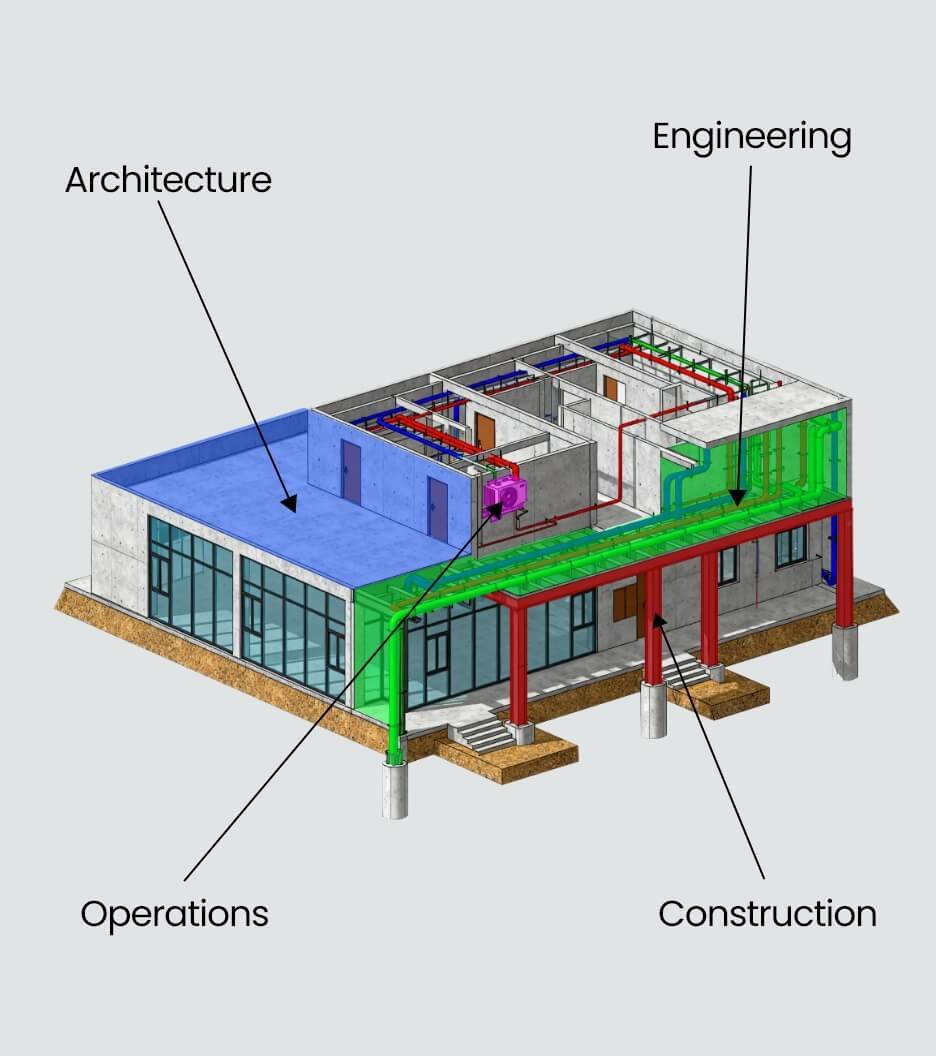
In a traditional AutoCAD workflow, architects, structural engineers, and MEP specialists work on separate 2D drawings. Conflicts like a pipe running straight through a structural beam are often not detected until the materials are on-site, leading to massive delays and expensive rework. BIM modeling services enable the merging of all disciplines and identify clashes at an early stage.
Enhanced Collaboration and Real-Time Coordination
Modern construction demands a high degree of integration between dozens of stakeholders, from design teams and contractors to owners and facility managers. In an AutoCAD environment, information is fragmented. Teams exchange dozens of static, separate files. Version control is a nightmare, and ensuring everyone has the latest design is a constant challenge. On the other hand, 3D BIM modeling allows real-time updates, seamless data exchange, improved collaboration, and helps successful project execution.
Accurate Cost and Scheduling Management
BIM extends beyond the three dimensions of 3D geometry to integrate time and cost, giving rise to 4D and 5D BIM, also known as the level of development. BIM experts ensure they offer insights that help AEC professionals avoid errors. Moreover, the BIM model automatically extracts BOQs (bill of quantities) in the design stage.
Cost Estimation (5D)
By linking cost data to the accurate QTOs, BIM provides precise, real-time cost estimations. This capability significantly reduces budget overruns and aids in more informed financial planning.
Project Scheduling (4D)
By linking the construction sequence and duration to the 3D model elements, project managers can create dynamic 4D models. This allows for a visual simulation of the construction timeline, helping to optimize logistics and identify potential scheduling bottlenecks before they occur.
Facility Management
Facility managers can use the model to locate shut-off valves, check equipment specifications, plan maintenance cycles, and manage space utilization without sifting through stacks of paper drawings. This leads to reduced operational costs, a longer asset lifespan, and more efficient maintenance.
Key Factors for a Successful CAD to BIM Transition
The shift from Computer-Aided Design (CAD) to Building Information Modeling (BIM) is a major strategic and operational undertaking. To ensure a smooth and successful transition, firms must consider these key factors:
Factors to Consider for CAD to BIM Conversion
Change Management Strategy
Involve Key Staff
Targeted Training
The Learning Curve
Industry Standards
BIM Execution Plan (BEP)
Network and Collaboration Tools
Communication
Phased Implementation
Software Selection
Project Type
Information Management
Data Migration Strategy
Establish a BIM Manager/Coordinator Role
Develop Standard Libraries (Families/Objects)
- Change Management Strategy: BIM is a process, not just a tool. It requires a fundamental shift from individual, siloed drafting to highly collaborative, data-centric modeling.
- Communication: Clearly, communication is key to long-term benefits, such as reduced errors, improved client delivery, and future-proofing to address resistance from staff who are comfortable with AutoCAD.
- Involve Key Staff: Identify enthusiastic internal champions or BIM advocates who can lead the change, answer questions, and provide peer-to-peer support.
- Phased Implementation: Don’t switch overnight. Start with a pilot project of a small, less complex design to test workflows, identify bottlenecks, and allow the team to learn without high-stakes pressure.
- Targeted Training: Invest significantly in training for the entire design and documentation staff. This training must cover not just the software functions (e.g., Revit or ArchiCAD) but also the BIM process, standards, and data management principles.
- Establish a BIM Manager/Coordinator Role: Designate or hire a dedicated expert to maintain standards, troubleshoot technical issues, manage the central model, and continue in-house training.
- The Learning Curve: Be prepared for an initial drop in efficiency. Staff will be learning new tools and processes simultaneously. Plan for this in project schedules and budgets for the first 6–12 months.
- Software Selection: Choose BIM software (e.g., Autodesk Revit, Graphisoft ArchiCAD, Bentley AECOsim) based on:
- Industry Standards: What software are your consultants (MEP, Structural) and contractors using? Interoperability is critical.
- Project Type: Does the software align best with your focus (architecture, infrastructure, etc.)?
- Network and Collaboration Tools: Since BIM thrives on central data sharing, you need a robust, high-speed network infrastructure and, if needed, a cloud-based solution (such as BIM 360/Autodesk Construction Cloud) to facilitate real-time collaboration.
- BIM Execution Plan (BEP): Develop a mandatory document for every project that defines how BIM will be used, Roles and responsibilities, Software versions, and file formats.
- Develop Standard Libraries (Families/Objects): Create a firm-wide library of standardized, intelligent BIM objects (doors, windows, furniture, equipment). This is essential for consistency, efficiency, and accurate quantity take-offs.
- Information Management: Define consistent naming conventions, file structures, and parameter usage from the outset to ensure the model’s data is structured and reliable.
- Data Migration Strategy: Determine the most cost-effective way to handle legacy CAD files. For old projects, a simple conversion is often sufficient. For new projects, it may be better (and cleaner) to recreate the model in BIM from scratch rather than trying to import and refine messy CAD geometry.
These are the general factors to consider when transitioning from AutoCAD to BIM services. Moreover, the transition is essential for modern architecture and construction. For this, it is evident that partners with experts for accurate, seamless, and collaborative outcomes. Additionally, BIM modeling has become a prominent approach in modern construction, which is why it is vital to partner with the best bim service provider that aligns with your goals.
Final Words
BIM is a comprehensive as well as holistic approach in the AEC realm that enables professionals to enhance the overall approach and maintain accuracy, efficiency, and safety in the building. Therefore, AutoCAD-to-BIM services are a key transition in the industry.
Send Us Your Requirement
Moin Khan
With four years of experience in the field, I currently serves as a team leader at Uniquescadd, a renowned BIM firm. Throughout the career, I have honed skills in team management, client coordination, and working with a variety of industry tools. My expertise spans several areas, including architectural modeling, restoration projects, facility management, and scan-to-BIM incorporating various standards and by laws of various counties like Netherlands, UK & USA. Working at Uniquescadd has provided invaluable learning experiences, further upgrading my knowledge and positioning me as a skilled professional in the BIM industry.